Categories
Technology

How To Play With Windows 8

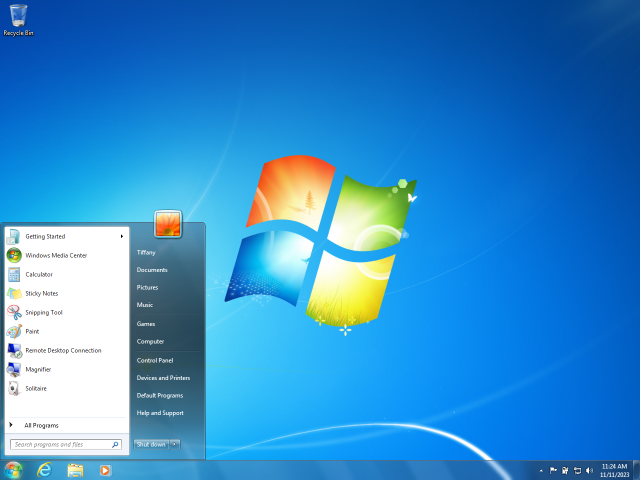
Windows 3.0, released in 1990
Lovely, isn't it? Wait, wrong picture

So, you want to have a go on Windows 8? It’s easy enough, but there are a few things you must bear in mind first:

  • Only do this if you have a spare computer to try it on, or are familiar with setting up a dual-boot system. If you install it as an upgrade on your working computer there will be no way back afterwards short of completely re-installing your old version of Windows. And all your software. Assuming you can even find all those discs. And remember all those hundreds of settings. Basically it’s a world of pain and you don’t want to go there.
  • You’ll need at least a 1GHz processor, 1GB RAM, 16GB of free hard drive space (20GB for the 64-bit version), and a DVD burner.
  • You indemnify me for anything that can, and probably will, go wrong. Windows 8 is Not Ready For Prime Time, and the management is not responsible for lost data or computers exploding in sprays of white-hot metal.

OK, You Ready? 

(If you’re starting with an empty hard disk, or one you are OK about permanently obliterating, you can skip the first two steps. Otherwise, skip nothin‘.)

  1. First, back up any important data on the hard drive you’re partitioning. (If you don’t know what partitioning a drive is you are in too deep and should back out now…) If it also has your working Windows installation it would be a very good idea to image the whole drive, then if everything goes horribly wrong you have a good chance of easy recovery. (Macrium Reflect is a free yet reliable way to image drives.)
  2. In your spare drive space, make as large a partition as you can afford – it must be 16GB at least. It should be a primary as opposed to a logical or extended partition.
  3. Next, download the Windows 8 Developer Preview, choosing the right version for your hardware. (If you aren’t sure which is the right version then, again, you shouldn’t be trying this.)
  4. Once downloaded, burn it to a DVD. (If you try to mount and run the ISO image it will only offer you the option to install to your C drive, which you don’t want.) Label the DVD “Deadly Space Virus”. Or, you know, whatever you like.
  5. Boot from the DVD. (Just possibly, you may need to change your BIOS settings to allow that.) You’ll be offered a nicer-looking version of the usual Windows install dialogue. Go through it, selecting your options with great care.
  6. Take PARTICULAR care when you are asked which partition to install Windows 8 to. Make sure it’s the one you just created. One error here, and you return Earth to the stone age. Well all right, you destroy your existing Windows install and/or all your data. Which is bad enough.
  7. Once you pass this point, things go remarkably fast for a Windows installation. When it’s finished, you’ll be greeted with Windows 8. It’s quite pretty. You’re not finished.
  8. Get online. You may have a problem with this if the Developer Preview doesn’t happen to contain all the right drivers for your hardware, but you will probably find that an Ethernet connection to a router will work. Or if you have a 3G dongle there should be no problem. Once online, get all the Windows 8 updates. (Users of some earlier Windows versions may have trouble finding Windows Update, it’s: Control Panel/All Control Panel Items/Windows Update. These downloads will make Windows 8 look and act a lot more polished.
  9. Simple! Oh wait, one other thing…
  10. If your other operating system is XP, you’re going to discover that you can’t boot back into it now. Bummer. This is because Windows 8 introduces a new bootloader that’s not compatible. To get around this, set XP as the default operating system. Go to: Control Panel/All Control Panel Items/System, click “Advanced System Settings” and then “Start Up And Recovery Settings”. Here you can change the default to “Earlier Version of Windows”, after which you’ll be faced with an option screen when you boot. Phew.

So, could this be the answer to iPad and Android? Have at it.

Categories
Technology

Windows 8 – First Impression

I.Doubt.It - installing untried, unstable software so that you don't have to. Not that you ever had to.

It’s like being a year into the future – probably more, the way these things tend to go. I’m writing this on a computer running Windows 8, the OS that is meant to get Microsoft back to the forefront of personal computing. On Windows 8, the complex and resource-hungry operating system of the past will be pushed into the back seat. The front end of your PC is going to be more like a… well, more like an iPad. More like a phone, or other lightweight browsing device. The main “Metro” interface is attractively tiled with little apps to do the little things you probably spend the larger part of your time doing. A basic browser, games, Twitter client, news feed reader, Facebook app, that sort of thing.

I have to preface my remarks with a caveat: It is not a fair test by any means. This is what Microsoft calls a Developer Preview, and it’s being released now, long before its ready even for beta testing, to give programmers a better idea of the forthcoming look and feel. Nonetheless I can start with unreservedly good news. This really does seem to be the lightest that Windows has been for some time. The spec of this computer is dated (1.2 GHz single core processor and 1.5 GB of memory), merely adequate for XP, yet XP’s great-granddaughter seems to run as well if not better. In the past I’ve used this or fairly similar hardware to test the betas of both Vista and Windows 7, but this pre-beta is more immediately impressive than either.

There aren’t a lot of other obvious changes from 7; perhaps the most notable is that the “ribbon” from Office is now in Windows Explorer. Version 10 of IE on the other hand is refreshingly clean and simple – and frighteningly fast. But of course we’re mainly here to get to grips with that weird new interface. Microsoft says it requires a multi-touch screen, but I’ve been getting by with pen input or just a mouse – Metro provides a scrollbar when needed. Presumably there are multi-touch gestures I’m missing out on. Indeed my first impression was that some such two-fingered salute must be a vital part of the interface, because for the life of me I could find no way to get those cool little apps to shut once I’d opened them.

That was when l discovered perhaps the strangest aspect of the future Windows: These apps are not meant to close. They stay suspended in the background, ready to spring back to life from wherever you left off. Which means of course that they use memory while they’re suspended, and I wonder how much they will be allowed to squander before something is done about it. Presumably the oldest will eventually be shoved onto the hard disk. If you’re desperate for memory right now you can kill them from a new-look Task Manager, but that seems a bit ad hoc.

To use the new “Metro” interface, you need to discover a couple of gesture controls that might not be immediately obvious: A stroke from either the top or bottom (with the mouse, a right-click) brings up a sort of context menu / taskbar in any app. A stroke inwards from the left edge (or touching the edge with the mouse) swaps between the two most recently-used apps – one of which can be the desktop – and most important of all, a stroke from the right (or bringing the mouse to the bottom left corner) opens the replacement for the old Start Menu. This though could hardly be more different. It holds just five icons, the main one returning you to the tiled Metro interface – which of course is the real replacement for much of the Start Menu’s functionality. Here you will find shortcuts to “traditional” application programs as well as the new apps.

Weirdly though, I found the lightweight Metro interface a little sluggish and unresponsive compared to Windows 8 proper. Pen input, smooth as silk otherwise (I’m writing this using the handwriting recognition and it works astonishingly well) is jerky in apps. Perhaps it makes too much demand on my Centrino-era graphics hardware. But if it’s still a little rough, it’s also surprisingly usable and interestingly different. Tomorrow, if you’re good, I’ll tell you how to start using Windows 8 yourself.

Categories
Technology

New Windows 2 – The Ecosystem

windows 8 preview
A Glimpse Of The Future

Perhaps as early as next year you will be able to run Windows on the same sort of low-energy ARM processors that iPads and phones use. Interesting.

What exactly is the point though? By itself, Windows for ARM doesn’t change a lot. All the programs that we use on Windows were written for Intel chips. They won’t run on ARM. They would have to be “ported” to the different architecture, and there’s no guarantee that a heavyweight program converted for a nimble processor would be anything you’d really want to use. Apple didn’t get where it is by simply porting Mac programs to the iPad. Garage Band, to take one example, is pretty much a wholly new version written to take full advantage of the touch interface.

It will be up to the market to create the software that really suits ARM-based Windows, and that of course depends on the platform taking off, which depends on the market… The Catch-22 of new technologies. Microsoft can seed it for success, but a huge amount of the detail still remains to be seen. It will surely run many Windows Phone 7 apps, but will it be able to take on the full-fat version of Office? (Rumours that it already can are probably based on an Intel tablet demo.) What about all the software created in Microsoft’s .NET framework? In Java?

Will it even have a desktop? This may seem an odd idea – Windows without a desktop? But in Windows 8, the desktop has been demoted to the status of an app; just another program, rather than an integral part of the operating system. Instead, the default interface of all Windows versions will be Metro, the “live tile”, highly touch-orientated look pioneered on Windows Phone 7. It’s all about fast and attractive access to information feeds. To do traditional work, with one or more heavy-duty application program running at once, you first open out a desktop. So it’s at least a possibility that the ARM-based version of Windows will only run lighter apps purposely designed for the touch interface. I am sure that “heavier” Intel versions of Windows will run those too though; Microsoft wants touch to be ubiquitous.

At the moment, leaving aside special-purpose and older versions, there are basically two Microsoft operating systems: Windows 7 and Windows Phone 7, and in most respects they’re distinct, incompatible things. In the near future though there could be a pretty continuous spectrum of Windows 8, over not two but four distinct types of device:

  1. Phones that can run lightweight touch-based apps.
  2. Light ARM-based tablets that can run the same apps – and some traditional software?
  3. Full Tablet PCs that definitely can run traditional software as well, but are still totally touch-orientated.
  4. Laptops and desktops that have an optional touch interface.

Hopefully they should all blend well so that data (and perhaps apps) move from one device to another seamlessly, even by touching them together. One can turn to the device suitable for your situation – a phone for walking, a desktop for work, a slate for sitting back – and find little changed about the user experience other than the size of the screen. It’s easy to see that merging very gracefully with “Surface“-type touch- and object-aware furniture. It’s as interesting as Windows has sounded for a very long time. Perhaps ever.

Categories
Cosmography Technology

Life In The Fast, Narrow, Dark Lane

Athenry North Gate 2009 09 13
You Are Now Leaving Athenry

Uhh. Just drove back from Athenry. The GPS did a great job, but it brought me by ways I knew not. A transaction based purely on trust. Our modernised country roads; beautifully paved and marked but still crazily meandering. Blind bends you round to find that they conceal other blind bends. In the dark. In the rain. A red dot following a purple line.

A microcosm of my life in the last few days, even weeks.

Probably months.

I didn’t know where I was and I only thought I knew where I was going. But somehow, I got home.

A transaction based purely on trust.

Categories
Technology

New Windows

Windows 7, the latest client version in the Mi...
A thing of the past

Since last we had a new version of Windows, the IT scene has changed beyond recognition. With the big growth areas now phone and tablet devices running operating systems from Apple and Google, Microsoft’s position as global software king has gone from undisputed to suddenly very vulnerable-looking. How will they respond?

Well what they’re not doing is reinventing themselves. Microsoft biggest asset is that they are already on the vast, vast majority of the world’s PCs and laptops. Their task therefore is to keep that position relevant.

Both Apple and Microsoft have distinct desktop and phone operating systems. With its latest desktop OS version though, Apple has integrated a lot of the phone version’s functionality, and it seemed obvious that Microsoft would have to do much the same thing. But they’re going about it in a fundamentally different way. Key to the difference is the two companies’ very distinct tablet strategies.

Microsoft actually pioneered the tablet computer. Theirs was launched back in 2002. The idea though was to put full-strength Windows on a device with a touch screen interface, using a pen and handwriting recognition instead of a keyboard. This actually works fantastically. The only problem is, it’s not a product that many people wanted to use. They’re great for work in the field, factory, site or hospital, because you can walk with them, enter text while standing, use them like paper with built in computing power. I have one because by day I’m an artist, and it means my sketchpad has Photoshop right there. But while it’s a wonderful product in a great variety of professional niches, it doesn’t have the broad consumer appeal that has made Apple such an incredible pile of money.

The key difference is that Microsoft decided that tablets should be full computers – they call them Tablet PCs – while Apple decided they should be large phones. Microsoft’s approach is more flexible, a Tablet PC can run any PC software. But the Apple approach had key advantages: Lightness, and long battery life. And it makes all the difference in the world. It took Apple to see the obvious: A device you hold in your hands needs to be light.

The chief reason for this is that the Apple-style tablet (under which I also include Android devices and other rivals) are built around ARM chips, whereas Microsoft’s tablets, like all PCs, use Intel’s x86 architecture. ARM was designed from the ground up with low power consumption to the fore of its priorities, while the x86 was built for speed without compromise. And though Intel have worked hard on producing x86 chips like the Atom with greatly reduced power demands, they will probably never be ideal.

Microsoft’s response was more radical than anyone expected. They’re going to bring out a version of Windows that will run on ARM chips – the same chips that are found in iPads and Android Tablets, and indeed in nearly all smartphones. It will be the first wholly new Windows version for many years – and the first break Microsoft has made with Intel, bringing an official end to what was once dubbed the ‘Wintel monopoly’.

But this is just one manoeuvre in a strategy. More to follow.

Categories
Cosmography Politics Technology

The Persecution Of Google’s Eric Schmidt

There is now a follow-up to this article: The Return Of The Google Stalker

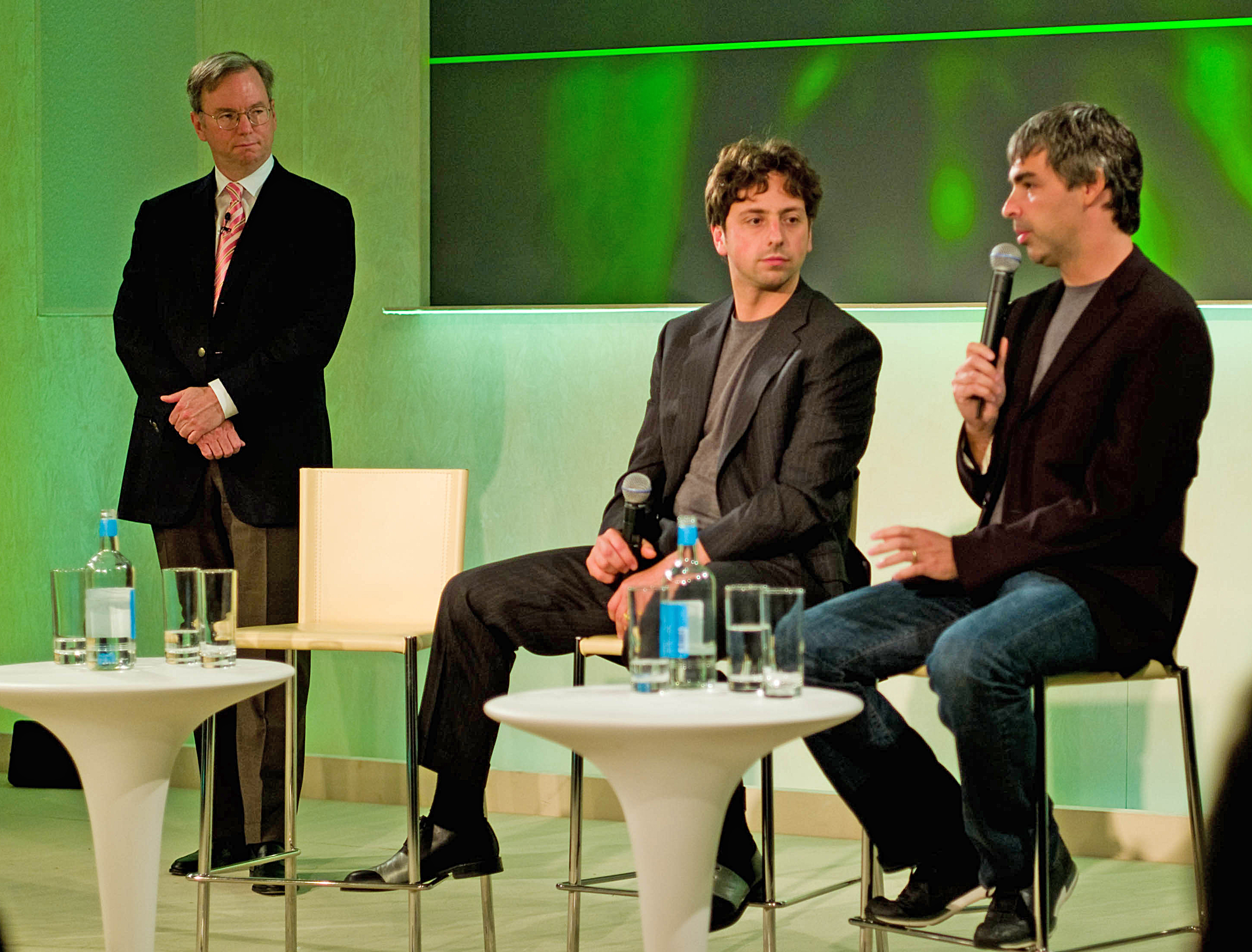
Schmidt, left, with Brin and Page
It is possible that they hired him to *look* evil though (Schmidt, left, with Brin and Page)

I’ve had unkind things to say in the past about Google, in particular executive chairman Eric E. Schmidt. Along with many others, I have – possibly unfairly – suggested that his attitude towards privacy rights might not be all it should.

I have never accused him of murder though. You have to give me that.

Eric Schmidt is being cyberstalked. No, that would be to aggrandize it. Someone is comment-spamming Eric Schmidt. Virtually anywhere Schmidt is mentioned, a Chinese guy calling himself Peter Cao comes to accuse him (and Stanford Professor of Artificial Intelligence Sebastian Thrun) of being involved in the murder and/or cover-up of the murder of May Mengyao Zhou, a Stanford graduate student whose suspicious death was ruled suicide. His accusations however lack… credibility. To say the least. Taken from the above links:

Eric Schmidt represents and is backed up by some mafia like dark force which tend to resovle their problems with killing power. Threatening my life with May Zhou’s case is not the only time, Schmidt’s side had actually plotted a murder on me during his fight with authorities and would have wiped me out, though it was crashed by securities in time, and that’s why he was removed from his CEO position. [Red text in the original]

Cao never seems to rest. Do a search on the terms “Peter Cao” “Eric Schmidt” and there are countless (highly repetitive) examples of his accusations. Is there any substance to them? Well, personally, I am strongly persuaded that the guy is an utter fruitbat. Here’s a glimpse of how he sees himself (which perhaps also reveals his motivation):

Google’s ambition in China is not limited in business. Google tried to act as a flagship of foreign powers to rival Chinese authorities on Chinese territory. Even till today, google still arrogantly places itself hight and lofty above Chinese people over its existence in China.
In the past, Google’s former CEO Eric Schmidt had backed up crimes against me, and had threatened my life with the mysterious death of very innocent people in Stanford in that case. I defeated Schmidt at authorities in this case and got him down from his CEO position. I could tell Google would be eventually terminated and kicked out of in China if Google executives refuse to ‘change stance on China’.

To make a bad situation worse, it appears someone responded to his comments on Business Insider by registering under the name Eric Schmidt and trolling the crazy guy (See comments):

Peter. It’s me, Eric. I thought we already talked about this. I am going to squash you like a bug if you keep posting on this comment board. What you don’t know (but surely suspected) is that the video cameras I installed in your house are allowing me to track everything you do. In fact, I am live streaming your pathetic life, including all the insane searches you do about my home address and love interests, to all my friends on the Stanford faculty. Next I will bring in my mafia-like dark killing power to bear.

I think most of us would assume that was not the real Schmidt… On what appears to be his blog however, Cao has taken the threat as vindication.

I report all this not because I think it’s amusing (though shamefully, I do), but out of a rather morbid fascination. Paranoid delusion is in the air right now as the tenth anniversary of 9/11 approaches. Fantasies of persecution – whether those of the deniers, or those of the attackers themselves – have the power to change the world. And recently it feels a lot like the mad are winning.

Categories
Politics Technology

Who Goes There?

Anonymous

A UK court has set an interesting – possibly insane – condition of bail for four men on charges relating to the Anonymous and LulzSec hacktivist clubs. The judge has ordered them not to log on to anything using their ‘hacker’ usernames. What this will prevent exactly is not clear. But then I suppose the judge isn’t too clear about a lot here.

Several questions arise: If someone logs on using those identities, will the court have to prove that it was the suspects? It seems unlikely that they possibly could. Anyone who had the password could go online in the forums or services that the suspects used, and anyone on the planet could register the same names on other forums.

If the suspects have to show that it’s not them on the other hand it would be not only just as difficult, but also counter to natural justice as they would be required to prove their own innocence.

It seems virtually unimaginable that, if these people actually are deadly dangerous hacker types, not using a particular name will prevent them doing anything. If on the other hand they are innocent – which is the basis we are meant to be working on – it could be an enormous inconvenience. I mentioned the other day that I administer an Internet forum. I think I’ll be giving away no secrets if I say that my login for that isn’t “richardchapman”. I use – God forgive me, but it’s true – a name I made up. And the same goes of course for the login I use to write this blog.

The judge may be under the same misapprehension a lot of non technically literate society has: that going online by a name different to the one on your birth cert is the behaviour of deviants. In fact previous to Facebook it was the norm rather than the exception. Why would you allow online strangers to know your real name? The expectation of going by your birth name is part of what I’m tempted to call the “Facebookisation” of the Web. Commerce and government have both realised that the erasure of online anonymity would be very convenient, and they are beginning to cooperate to bring this about. As I have pointed out elsewhere, the Google Plus (Google+) social network even has rules against pseudonyms. It’s more than a little creepy.

But here’s an amusing wrinkle. Peter Gibson, one of the accused in this case, goes by the nerdy hacker username of “Peter”. So now he is not allowed to use his own name. That seems an extraordinary incursion on civil liberties – and will lead to an interesting situation if he tries to join Google+… Or if that’s not irony enough, listen to this: We have only been told three of the four suspects’ usernames. The fourth wasn’t revealed, apparently because he is seventeen. So yes, the username he used to protect his anonymity, something which he is no longer allowed by the court to do, is being kept from us by the court to protect his anonymity.

Something just blew in my brain.

Categories
Humour Technology

New Flavours Of Spam

Spam 2
"Spam Classic"?

We all get email spam, but if you run a blog or administer a message board – I do both now – you have the pleasure of discovering whole new and different spam varieties. Generally it doesn’t shout at you like junk mail does. It’s altogether more refined, attempting to slip in its advertising payload – usually just a link – under the guise of a relevant contribution. Naturally though the writer (if the spam is actually written by a human) can’t possibly have the time to understand and contribute meaningfully to the discussion going on. If they did they wouldn’t be spammers. They’d be… welcome. Their posts therefore are purposefully bland – which, paradoxically, makes them easy to spot. We got the perfect example the other day:

You are not right. I can prove it.

Science has shown that this is the most likely statement to be found on any message board forum.

On blogs however the spam is more agreeable – agreeing, in fact, with about anything. Usually it’s along the lines of “I couldn’t have put it better myself. Here are some links to other articles that might interest you”. Which turn out of course to be adverts for crap like electronic cigarettes from Russia, or wood carving tools. I kid you not, I got one advertising wood carving tools today. Ostensibly at least; the site it linked to talked about such tools, but offered no way to actually buy them. Something else is going on here, more subtle than just advertising.

There is a belief that the more links there are to your site, the higher it will be ranked by search engines. This is an oversimplification, but people still pay Search Engine Optimization services to improve their page ranking. Some of these “experts” then pay spammers to clog up and overwhelm boards and blogs. Real humans then have to clean up the mess.

Stop doing this.

Categories
Technology

The End Of Google Freebies

Image representing Google Desktop as depicted ...
Clear Your Desktop

If you use Windows XP, there’s a product you should get while you still can. Google Desktop is a useful way to search all the documents you have on your own computer, instantly. You may be familiar with the search built into XP, and how slow and basic it is. Google’s Desktop brings their Web-search speed to your own computer.

OK, it is getting to be a bit obsolete. More modern operating systems have similar fast searching built in. And there is an alternative from Microsoft called Windows Desktop Search. But I liked the Google product best, and in less than two weeks they’re not going to let us have it any more. Boo.

As the link shows they’ve in fact discontinued the whole Google Pack, of which this was just one part, along with a whole lot of other projects that were far less popular. That’s a shame I think. It was always a good place to point people to get some essential software from a source they could trust. (We still do trust Google, don’t we? Basically I mean.)

Sure the links are still there, but the package had a mechanism to keep them updated for you. It was all very beginner-friendly. (You can still get it from here, but there’s little point if the update system is going to stop.) It was an endearing little feature of Google’s corporate personality, I found it quite useful over the last few years, but now it’s gone.

And no, it never did get out of beta.

Categories
Technology

Folding Tablets

Sony Tablet P - Click for slide show

We have still to see any real Android challenge to the iPad. The simple fact is, they’re not as nice. Apple’s hermetic approach to design means that they can tweak the whole package until it’s really quite lovely. Almost every rival product so far feels like an inferior imitation.

It shouldn’t be this way. The advantage of the more open Android platform ought to be that, like Windows, it gets used on an interesting variety of hardware. That should allow creative manufacturers to experiment and innovate. Inexcusably though, most don’t. But just now and again someone lets loose, and the results justify the wait.

Sony simply call it the Tablet P, and though it looks like one of those concept devices that are demoed and then never seen again, it is actually coming to market – along with its more conventional sibling the Tablet S – any day now. I don’t even usually like Sony’s stuff; for my tastes it seems too shiny and insubstantial. But the idea of a folding tablet is just gorgeous.

Why? Well the iPad has been touted as somehow a replacement for print publications – even the potential saviour of the publishing industry. But it is not a device you can easily carry around with you to read in the places most people read casually: During journeys and commutes, sitting at a café table. Basically it’s too big; smartphones on the other hand are too small for comfortable reading. A device that has almost the same screen size as an iPad yet can be slipped into a jacket pocket or handbag makes sense in so many more situations.

Meanwhile, there are strong rumours that Amazon is about to enter the fray too, attempting to beat other tablets where so far there’s been a painful absence of competition – on price. So despite Apple’s courtroom tactics and the demise of HP’s Touchpad, it looks like competition is finally beginning to happen. The biggest upset though may be yet to come. So far, Microsoft has been noticeable in the consumer tablet market mostly by its absence. Are they having second thoughts? More soon…